
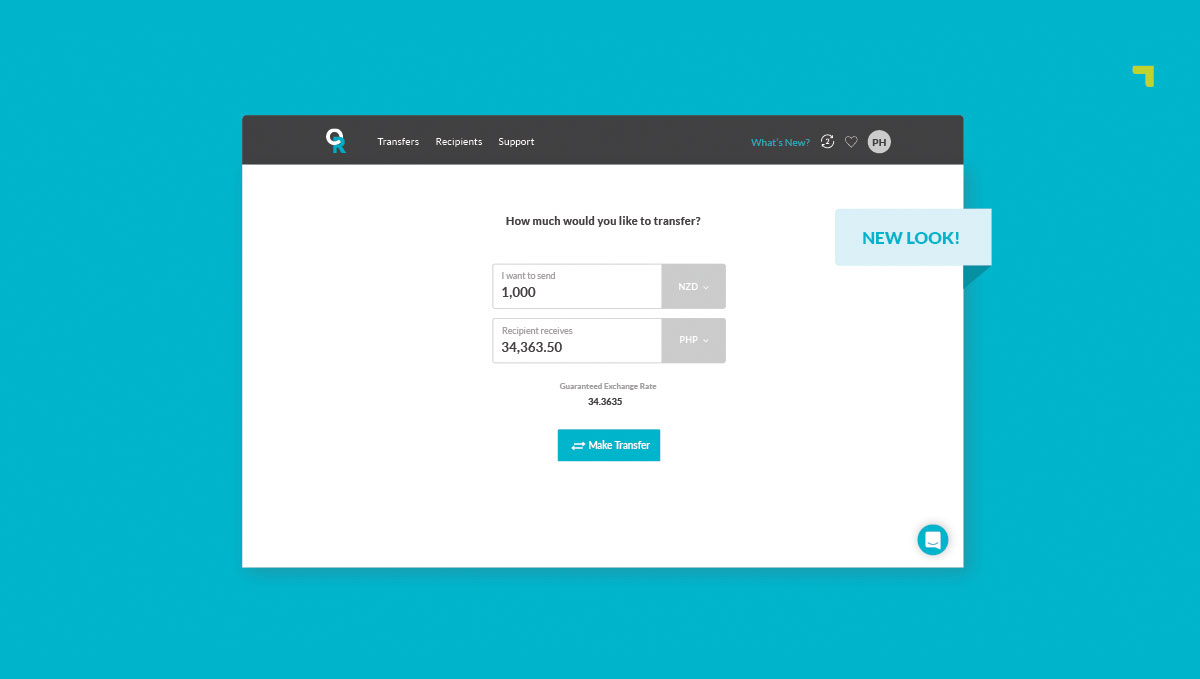
Here at OrbitRemit we’ve been feverishly working away redesigning our online payment platform. Not only did we think it was about time for a fresh coat of paint, but we’ve also simplified our transfer process to make your life easier!
Here’s everything you need to know…
We’ve simplified the dashboard
The first thing you will notice when you sign-in is that you are straight into the transfer process. Starting your transfer is now as simple as entering your amount into the calculator, and hey presto – you’re off! Your rate is locked in and you can now set up your recipients and transfer preferences.
Creating Recipients
Creating new recipients is now easier than ever. We previously required you to create a recipient before starting your transfer, but we’ve now built this into the transfer process. Much simpler!
Recurring Transfers
Recurring transfers are now set up when creating a transfer, rather than through the “Recipients” dashboard. When you come to review your transfer during the new process you will see the option to set it up as recurring.
Where is my payment history?
Our three main menu items haven’t changed, however, the “Payment History” page has been renamed to “Transfers”. The Recipients and Support links haven’t changed!
Get free transfers
There are two ways you can enjoy fee-free transfers with OrbitRemit:
First is our welcome offer for new customers, your very first transfer with us comes with no transfer fee. Second is our loyalty rewards, every time you complete 10 transfers, you’ll earn a free transfer.
You can easily track your progress anytime from the new menu bar.
Refer a friend
When you refer a friend to OrbitRemit, you’ll receive a $20 credit straight into your account for every successful referral.
And the perks don’t stop there—your friends win too! When they sign up using your referral link and make their first transfer of $100 AUD/NZD or more, they’ll enjoy a $20 credit plus their first transfer free.
How to send from multiple countries?
If you are sending money from more than one country, then this process is now easier. Instead of switching your primary send country in your account settings, we’ve built the ability to send from multiple countries right into our transfer process! Simply select the currency you wish to send from, and we’ll take care of everything else behind the scenes.
Any Questions?
If you have any questions about any of the changes we’ve made then please contact our support team – they’ll be happy to help!
We hope you like our new look. We never stop trying to make life easier for our customers, so we would love to hear what you think. Send us your thoughts to [email protected]!